Batumi new development database for real estate agents
Projects, layouts, floors and prices in one workspace — along with the client, the shortlist and a PDF you can send them.
Signing up takes a couple of minutes.
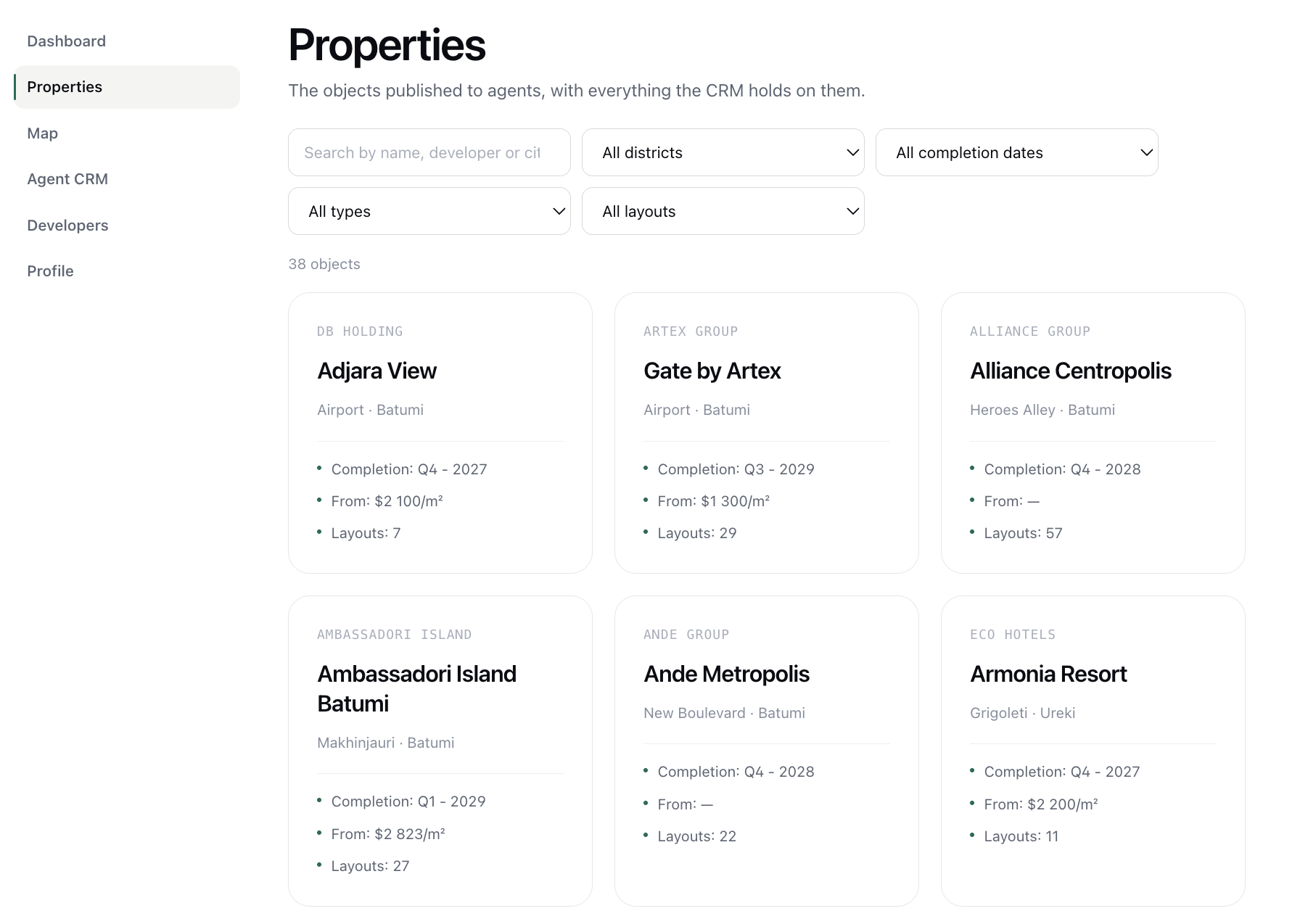
Find the project you need
New developments with filters by developer, district and status — so projects stop living in bookmarks and spreadsheets.
- Search by project name
- Filter by the parameters that matter
- Open a project in one click
Everything about a project in one place
Open a project and you see what usually has to be gathered from chats and folders.
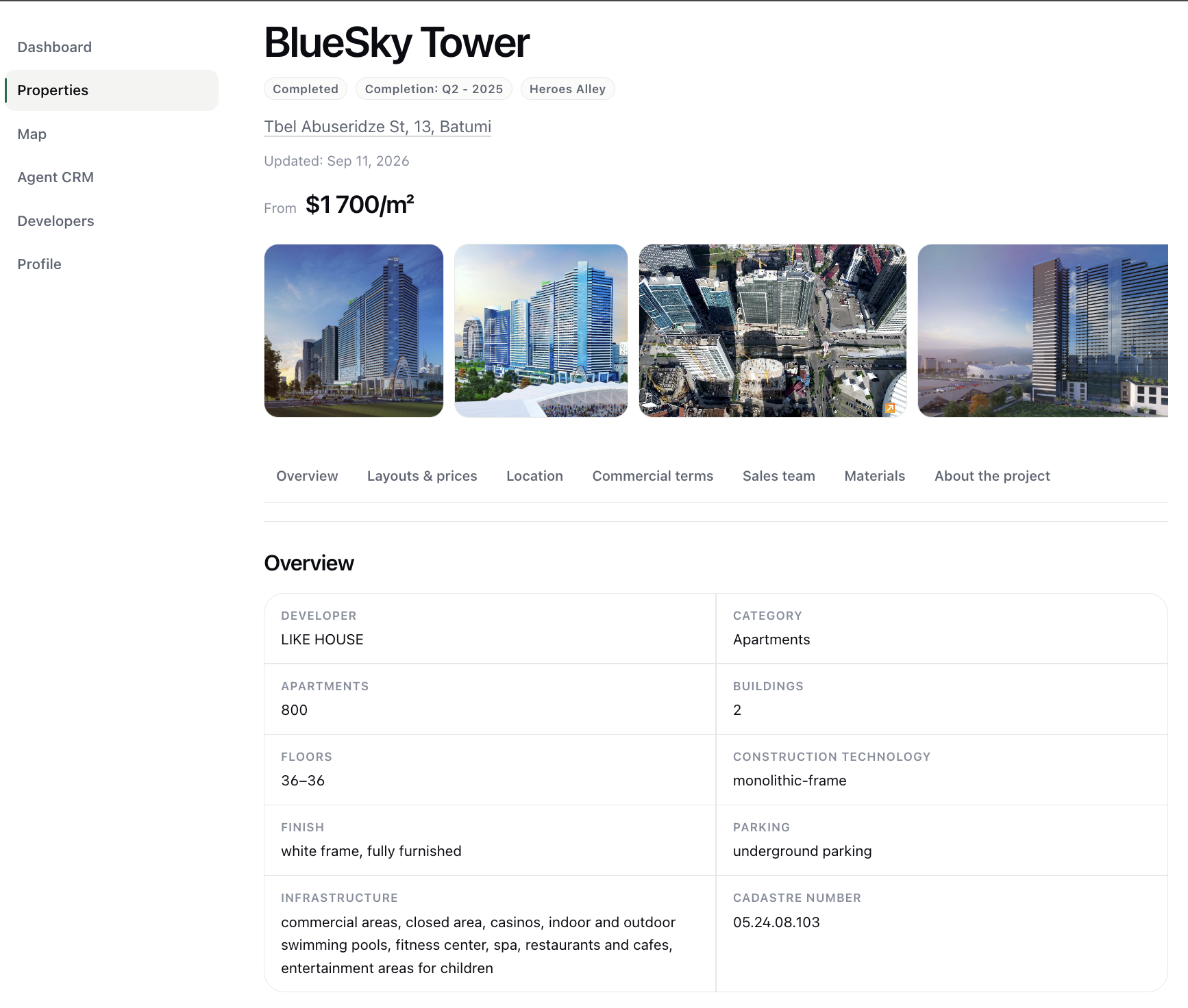
Key characteristics
Class, number of floors, timeline and status.
Photographs
The project gallery — what you can show a client.
Location
District and address on the map.
Commercial terms
How the project works for agents.
Sales team
Who to contact about this building.
Materials
Presentations and documents for the project.
Layouts, floors and prices in one database
The slow part of selling a new build is collecting every offer for one layout and comparing them. Here they already sit side by side.
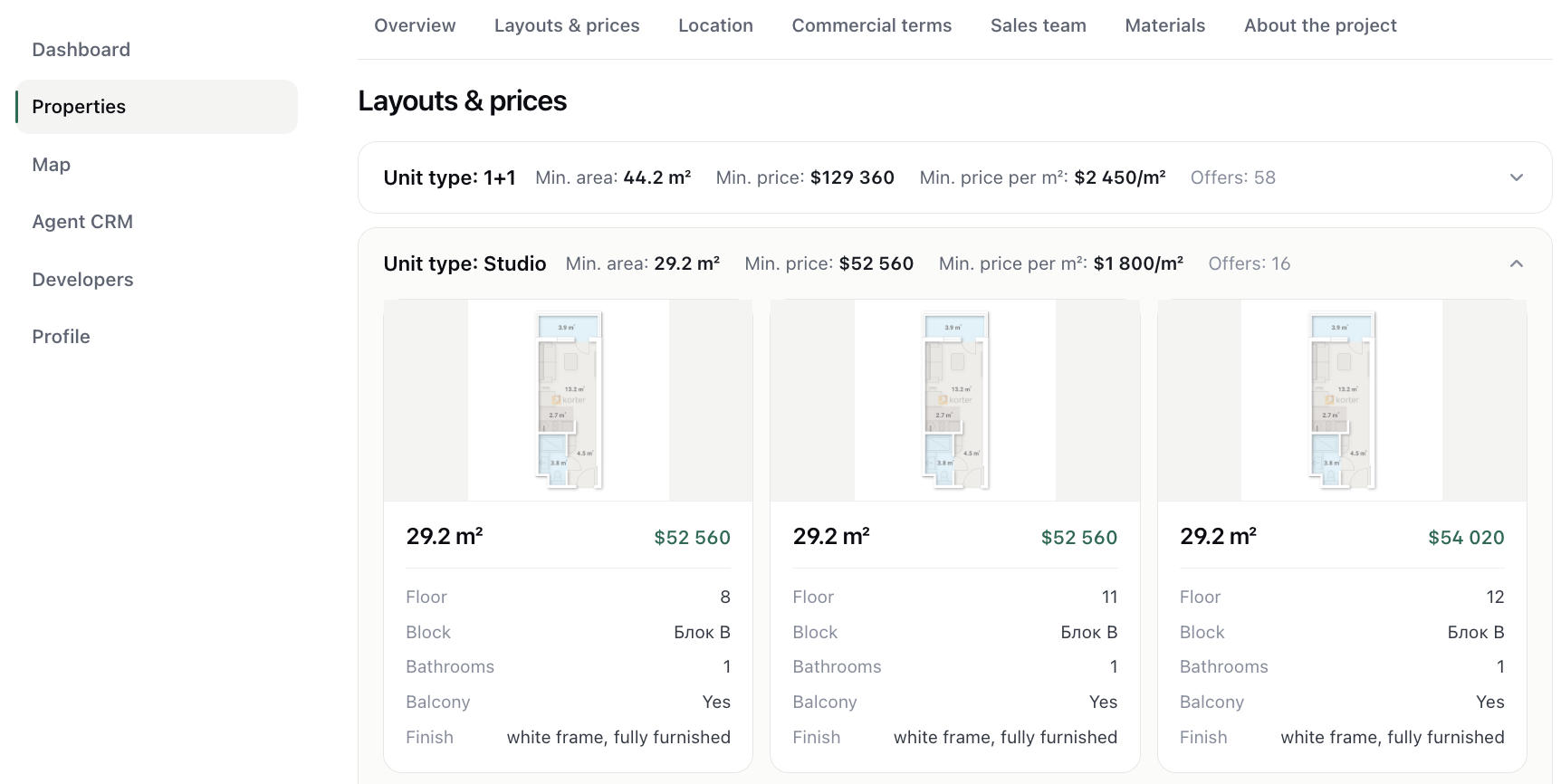
- Area and layout characteristics
- Specific floors and building
- Price and price per m²
- Several offers for the same layout, visible at once
Project data is kept up to date in the database; confirm a specific offer with the sales team.
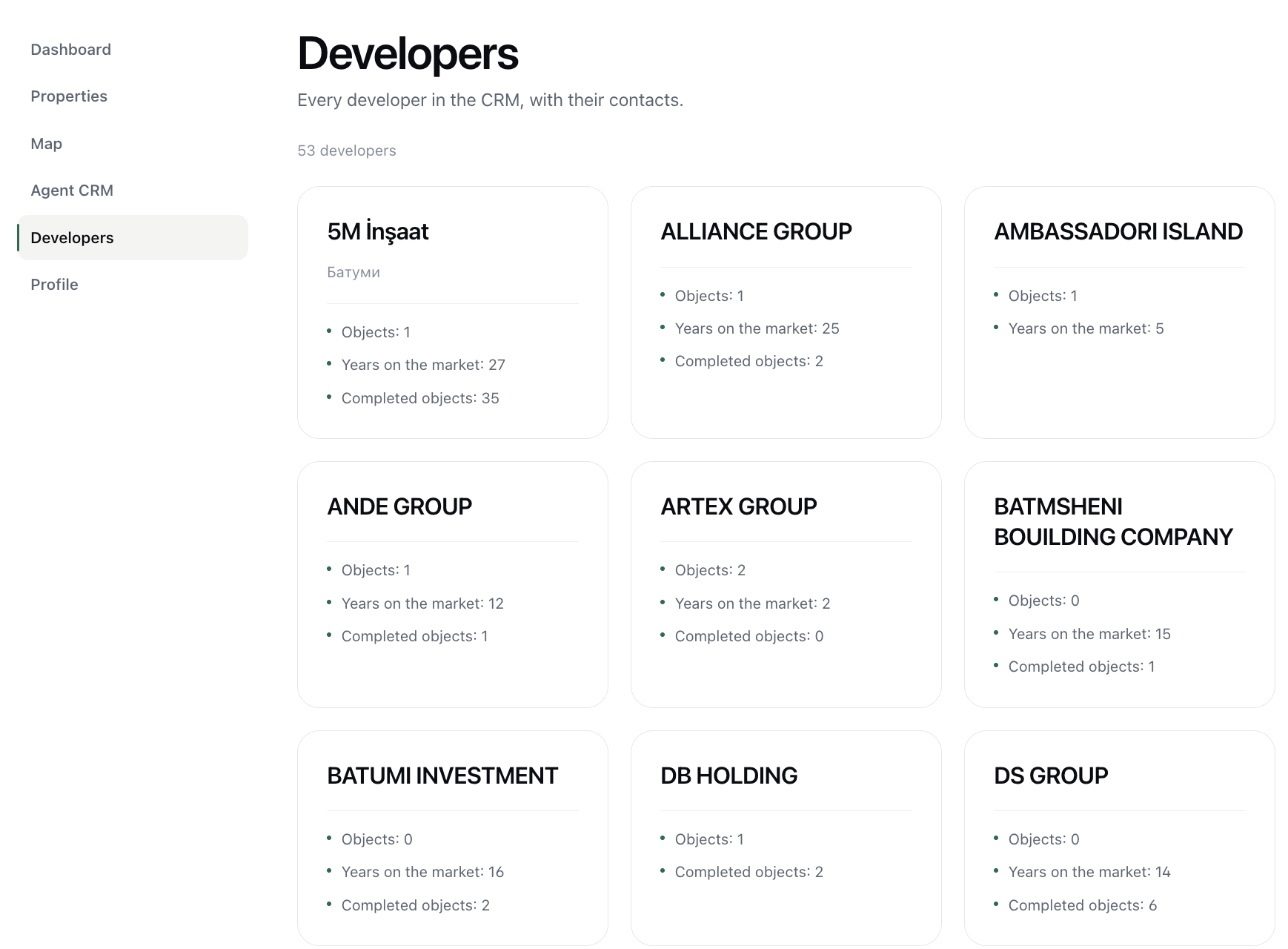
Batumi developers in one working database
Go from a developer to their projects — and from a project back to who is building it.
Work with the client where you choose the property
Once you have shortlisted the options, you keep working the client without switching systems.
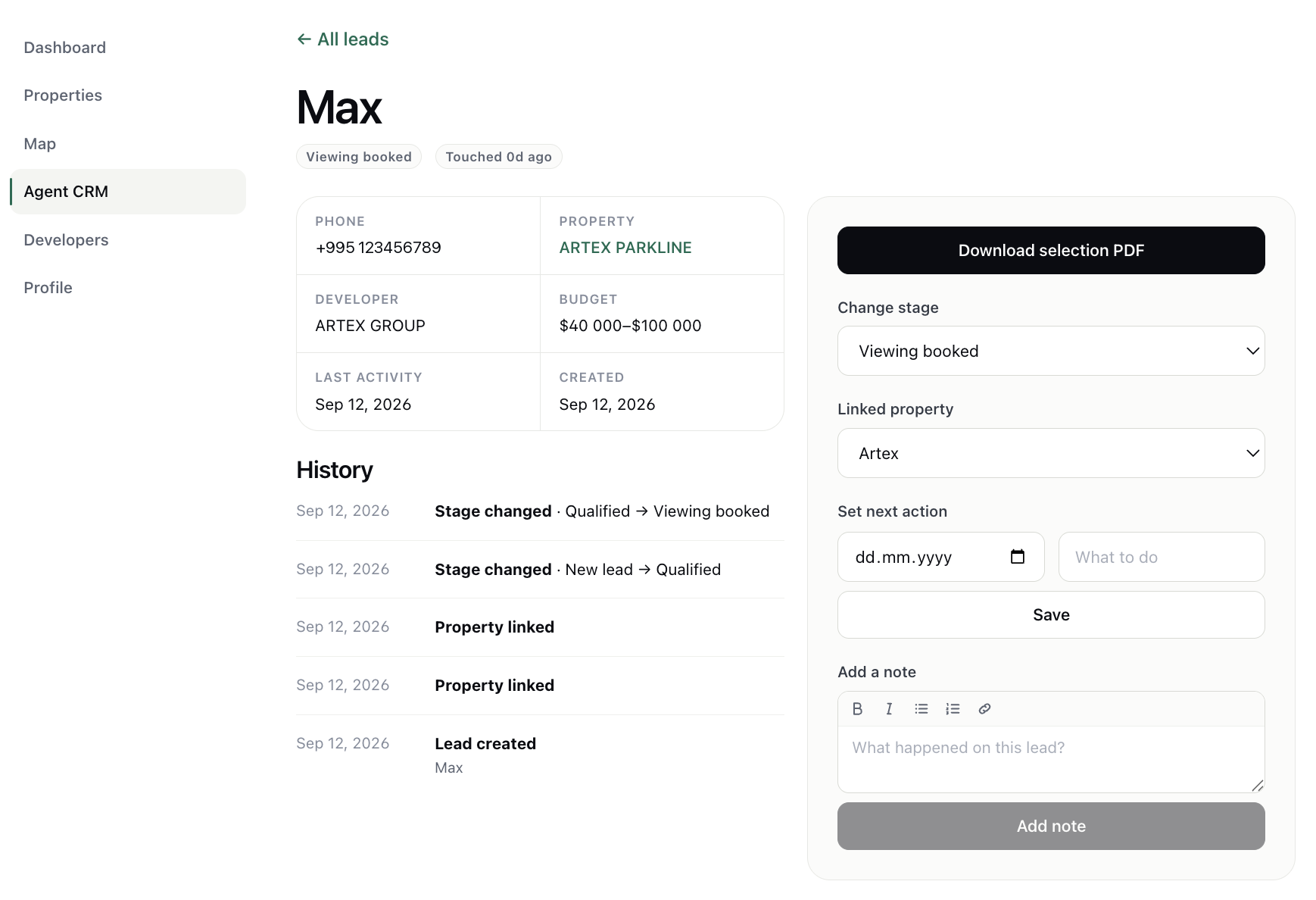
Budget
What the client came with.
Linked project
The project the conversation is about.
Stage
Where they are in your pipeline.
Next action
What to do and when, so nobody is lost.
Activity history
What has already happened with this client.
Notes
The details you cannot keep in your head.
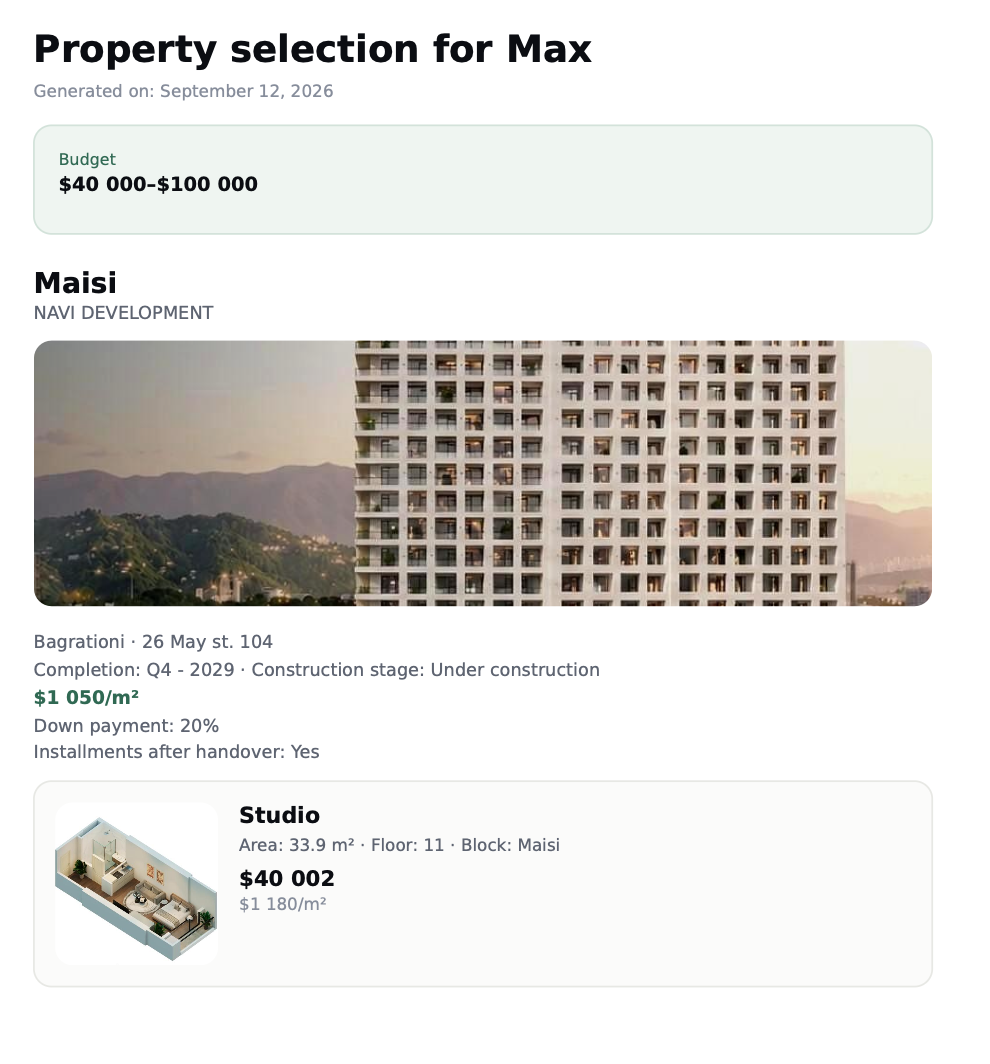
Collect the options and send the client a finished shortlist
The units you picked become a PDF you can send — no laying it out in slides by hand.
Work with Batumi new developments in one place
The project database, layouts with prices, the client and the shortlist — without switching between spreadsheets and chats.